Android assistive communication app

AZ Weak Voice

Help turn speech or typed text into spoken output across supported languages, with optional authorized Personal Voice capability.

AZ Weak Voice was created around a simple but important problem: communication becomes much harder when speaking clearly or loudly is difficult. The app brings together Live Transcript, Type to Speak, Quick Phrases, multilingual speech-recognition and speech-output options, and optional authorized Personal Voice capability to give users multiple ways to communicate.

Communication support in one app

The app supports different communication needs rather than assuming one method works for everyone: recognizing spoken words, displaying transcript text, typing messages to be spoken, reusing quick phrases, or optionally generating authorized Personal Voice output.

✓ Live Transcript for speech recognition

✓ Type to Speak for typed speech output

✓ Quick Phrases for frequently used messages

✓ Optional authorized Personal Voice output

Core Features

Core communication features

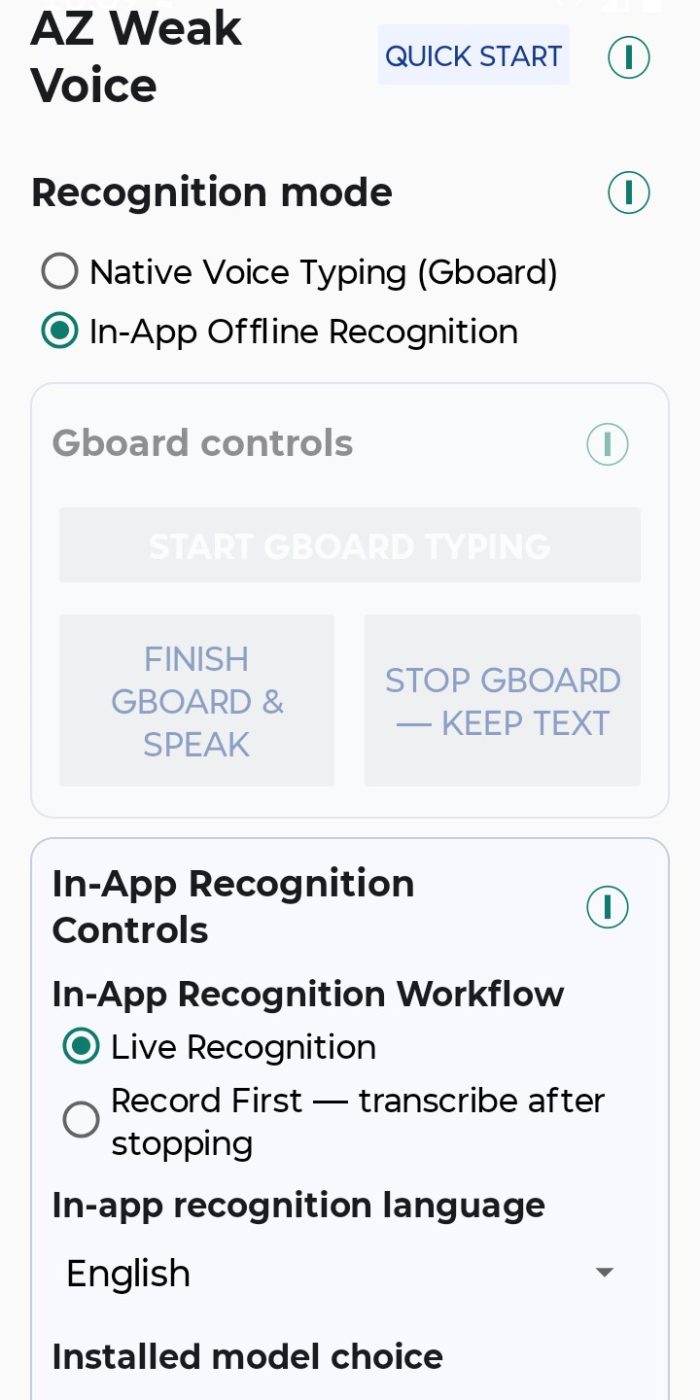
Local recognition model

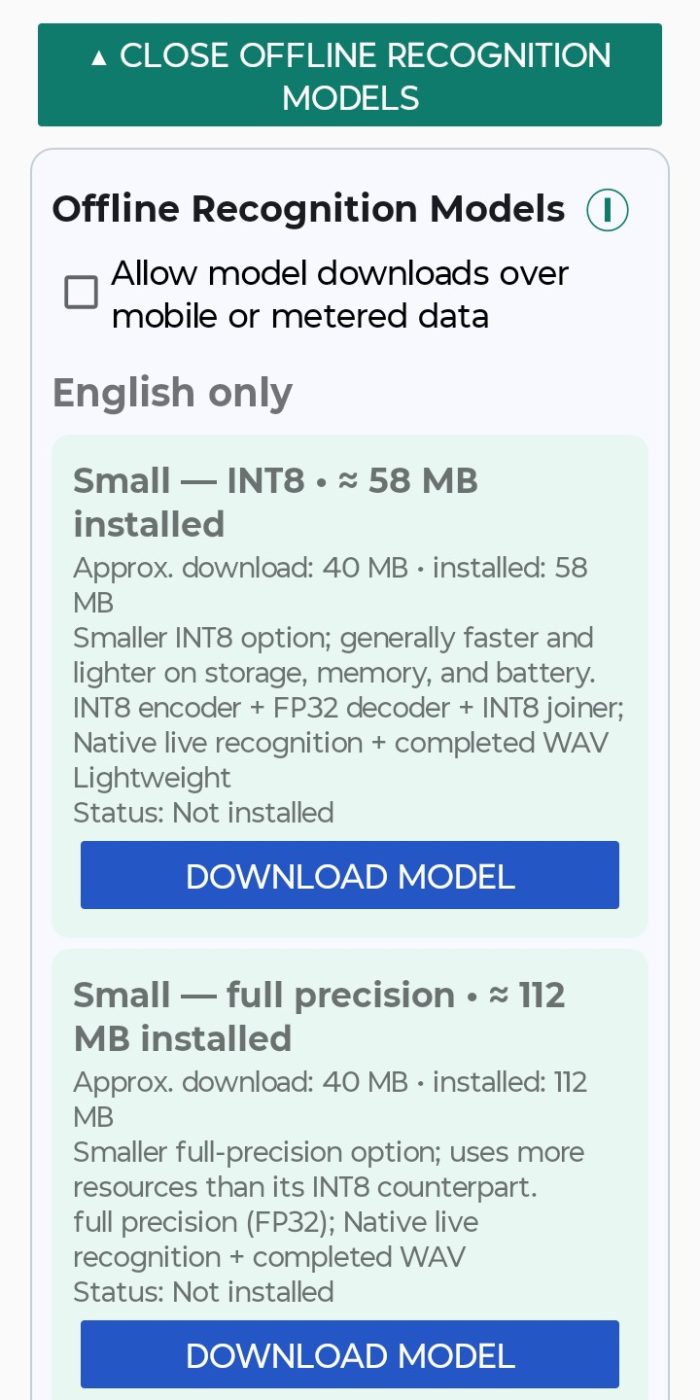
The app can download an in-app recognition model chosen by the user. Once the required model is available, supported speech-recognition processing can run locally.

Multilanguage support

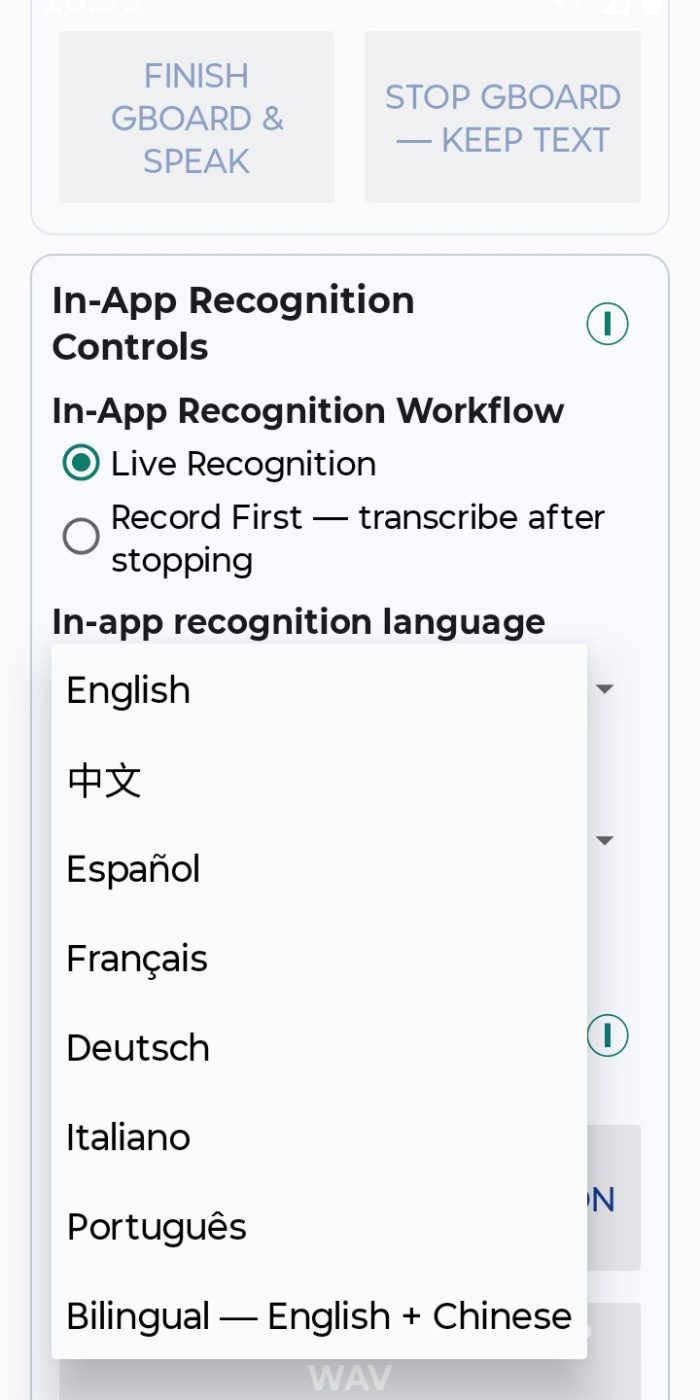
Supports English, Chinese, Spanish, French, German, Italian, and Portuguese, plus bilingual English + Chinese recognition. Speech-output languages and voices can be selected from the available Android TTS and Personal Voice options.

Live Transcript controls

The established workflow includes recognition-model checking/downloading and manual completion through Finish & Transcribe. Generated speech can pause recognition and then resume automatically when configured.

Type to Speak

Save commonly used phrases for fast access when speaking repeatedly or typing a full message would be inconvenient.

Separate Android speech services

Gboard voice typing and Android system text-to-speech are separate Android/third-party services selected by the user. Their network or offline behavior depends on those services.

Core remains available

The core communication portion of AZ Weak Voice is designed to remain free. Personal Voice is an optional Pro capability rather than a requirement for the basic app.

PERSONAL VOICE PRO

Optional authorized Personal Voice output

Personal Voice is intended only for a reference voice the user owns or has explicit lawful permission to use.

What the Personal Voice workflow includes

✓ Personal Voice model download and management.

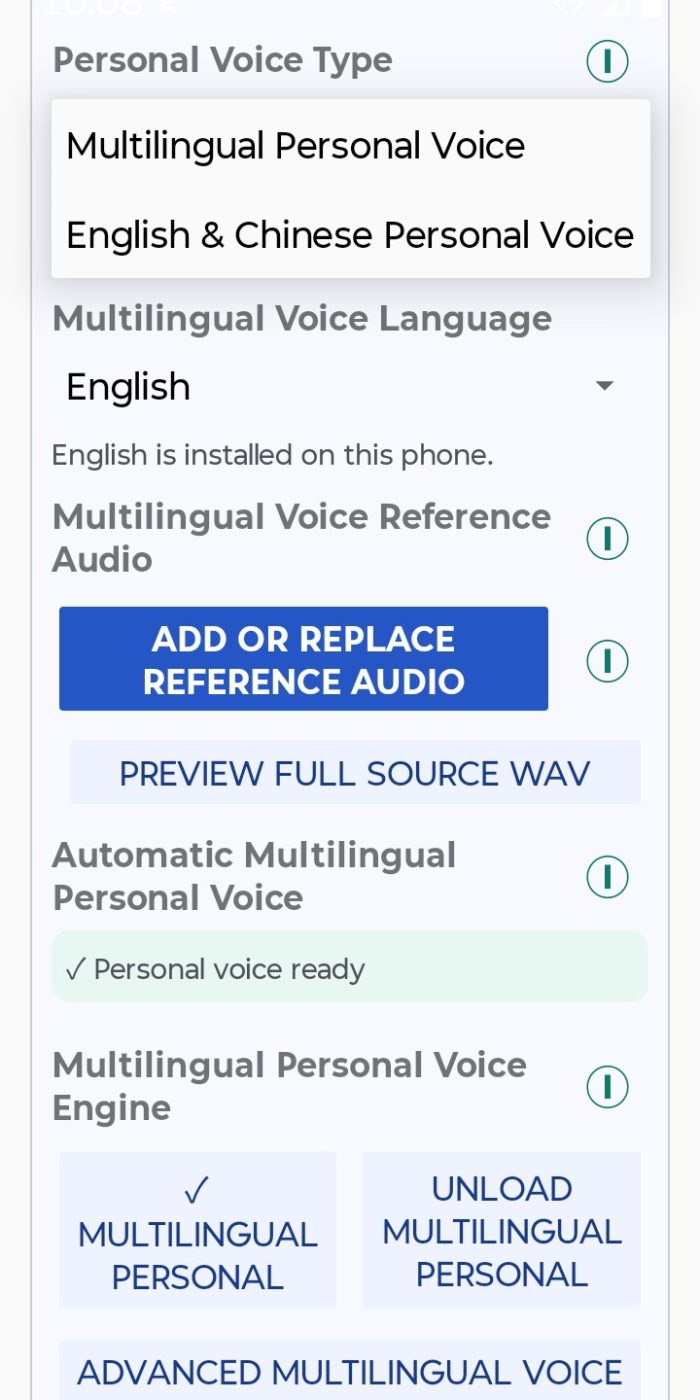
✓ Support for Multilingual Personal Voice and English & Chinese Personal Voice workflows.

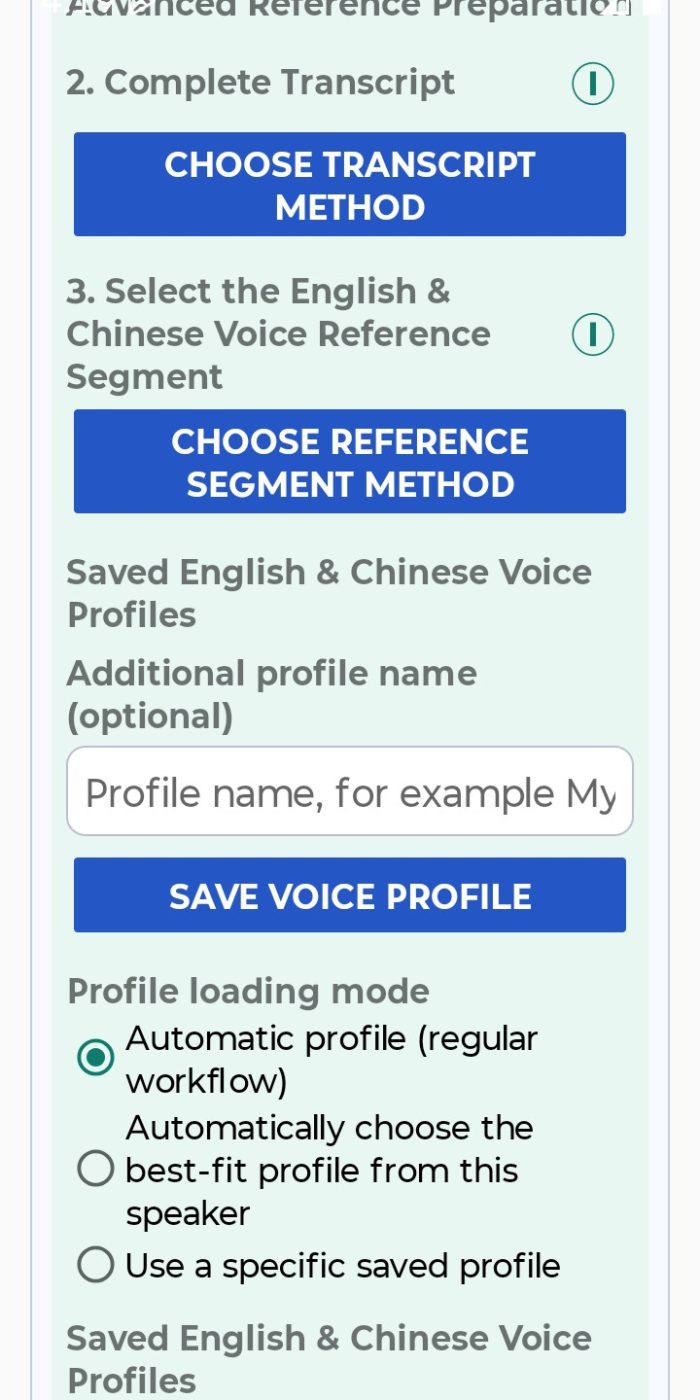
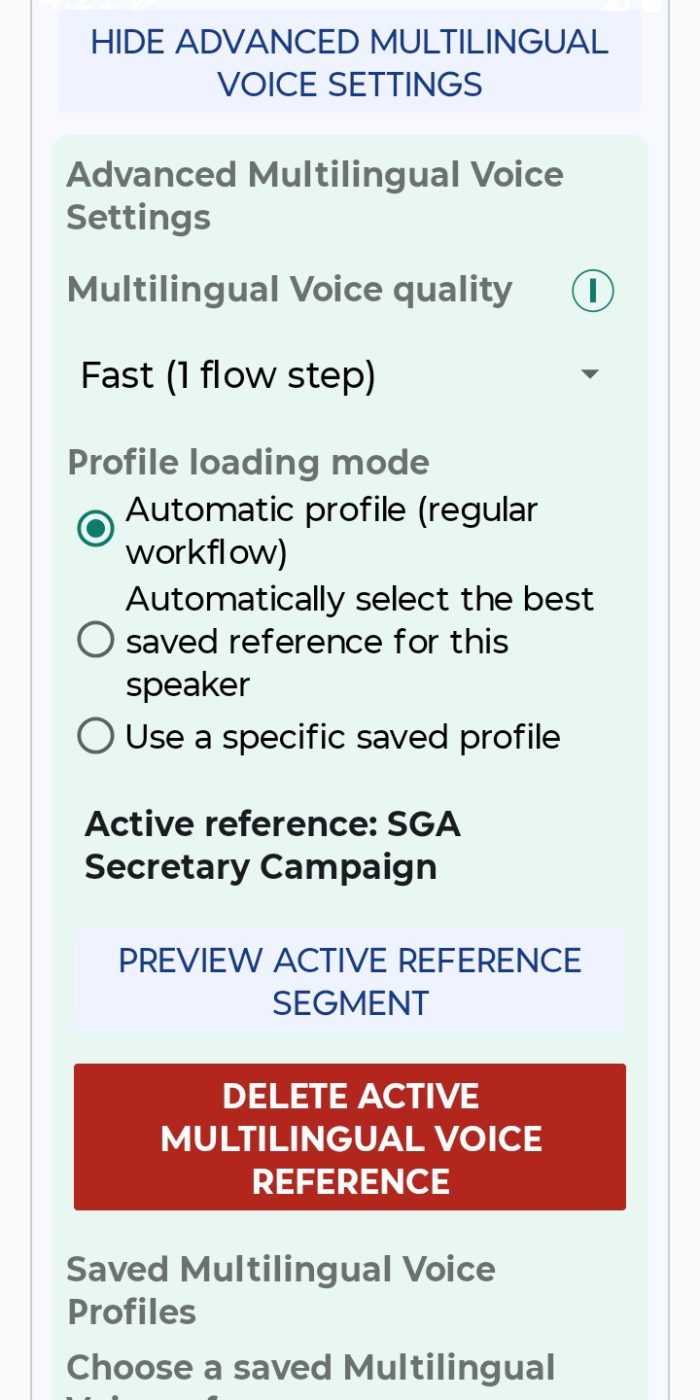
✓ Personal Voice Manager for references and voice/profile management.

✓ Local Personal Voice generation after the required model files are available.

✓ A 7-day / 168-hour Personal Voice Pro trial.

✓ Optional Personal Voice Pro Lifetime purchase through Google Play.

✓ Restore Purchase and official Google Play promo-code redemption.

✓ No AZ Weak Voice user account required for trial, purchase, restore, or promo redemption.

Trial and Lifetime access

The dedicated privacy policy describes a 168-hour trial that is activated through the app with an online activation/recovery step. After activation, Personal Voice generation can continue offline during the remaining trial.

Personal Voice Pro Lifetime is handled through Google Play Billing. Verified entitlement can be restored through the app.

Personal Voice Pro also includes access to supported Personal Voice workflows, including Multilingual Personal Voice and English & Chinese Personal Voice options, depending on the selected voice setup.

Core communication features are separate from the Personal Voice Pro entitlement. Personal Voice Pro adds the voice-generation capability rather than turning the entire app into a paid product.

QUICK START

Get started with AZ Weak Voice

AZ Weak Voice is designed around a straightforward setup path for speech recognition, speech output, and optional Personal Voice features.

1

Install AZ Weak Voice from Google Play.

2

Choose a communication workflow: Live Transcript, Type to Speak, or Quick Phrases.

3

Choose your language and check the recognition model. Download the required in-app recognition model when needed for the supported language you want to use.

4

Start communicating. Use Live Transcript for speech recognition, Type to Speak for typed speech output, or Quick Phrases for frequently used messages.

5

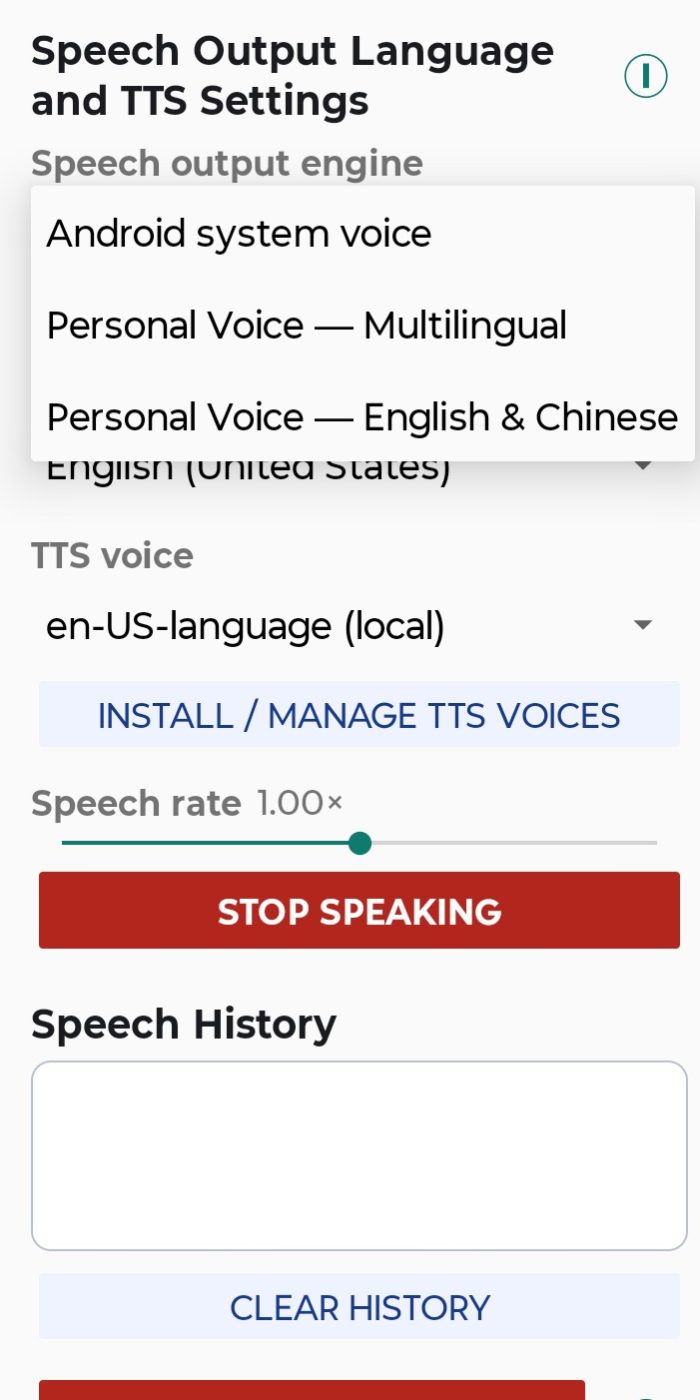
Choose your speech-output language and voice. Select an available Android text-to-speech voice, or a configured Personal Voice when that option is available.

6

Optional: set up Personal Voice Pro. Open Personal Voice Manager, download the required model, and create or select an authorized Personal Voice profile. Use only reference audio you own or have explicit lawful permission to use.

7

Optional: activate Personal Voice Pro access. Use the in-app trial, Google Play Lifetime purchase, official promo-code redemption, or Restore Purchase as appropriate.

LOCAL PROCESSING & PRIVACY

Speech content stays on your device

Local speech and Personal Voice processing

After the required model files are downloaded, supported speech recognition and Personal Voice generation can run locally on the device.

No account required

AZ Weak Voice does not require an AZ Weak Voice user account for core app use, trial access, purchase, restore, or promo-code redemption.

Speech content is not uploaded for licensing

AZ Weak Voice does not send voice recordings, Live Transcript text, Type to Speak text, Quick Phrase text, transcripts, or generated Personal Voice speech to the licensing backend.

No advertising or general analytics SDKs

AZ Weak Voice does not include advertising SDKs or general-purpose analytics and telemetry SDKs.

SUPPORT & DIAGNOSTICS

User-controlled diagnostic sharing

Support reports are created locally only when the user explicitly requests one. Nothing is uploaded or sent automatically. Sharing requires a separate Share Report action through Android’s share interface.

The default report is designed to omit communication content and sensitive voice material.

AZ Weak Voice does not require a user account for core app usage, trial access, purchase restoration, or official promo-code redemption.

Designed to exclude

✓ Recordings and reference audio

✓ Live Transcript and Type to Speak text

✓ Quick Phrase text

✓ Saved voice/profile names

✓ Purchase tokens and promo codes

✓ The anonymous trial-device pseudonym

ABOUT AZINVENT

Technology built around practical problems

AZinvent develops software across assistive communication, financial research, and tools for presenting and navigating information online. Each project starts with a specific need and turns it into a focused technological solution.

The products are different, but the underlying idea is the same: technology is most meaningful when it helps solve a real problem for the people using it.

Different problems, one approach

Accessibility — tools that can make communication easier and more user-controlled

Financial research — tools that make information gathering and analysis workflows more efficient

Information & learning — tools that make information easier to present, organize, explore, and navigate

Scroll to Top