Browser productivity extension

AZ TickerJump

Navigate long webpages faster with intelligent ticker jumping and instant access to important information.

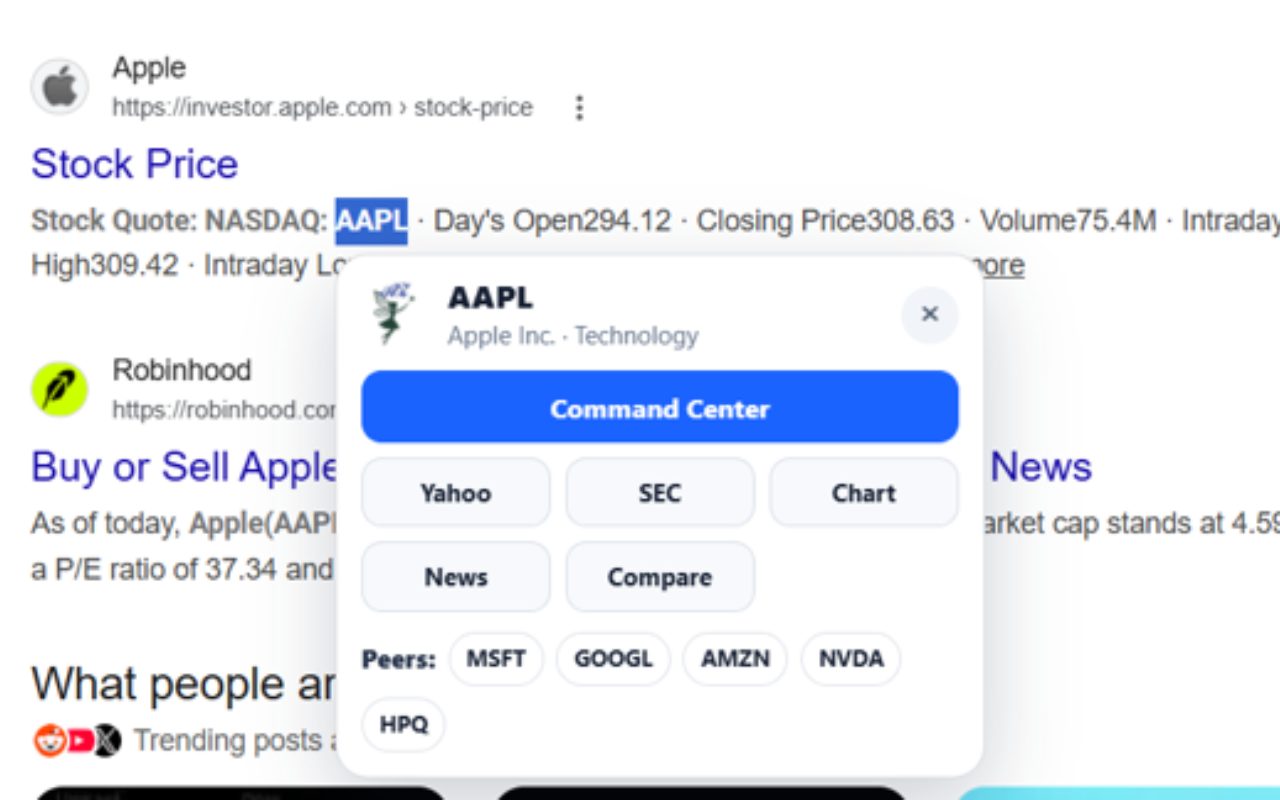
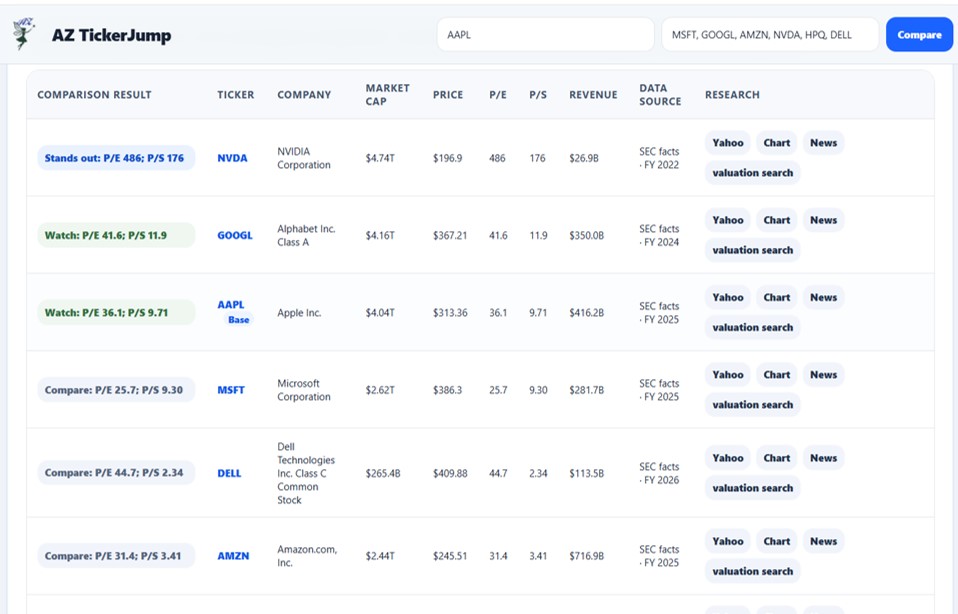
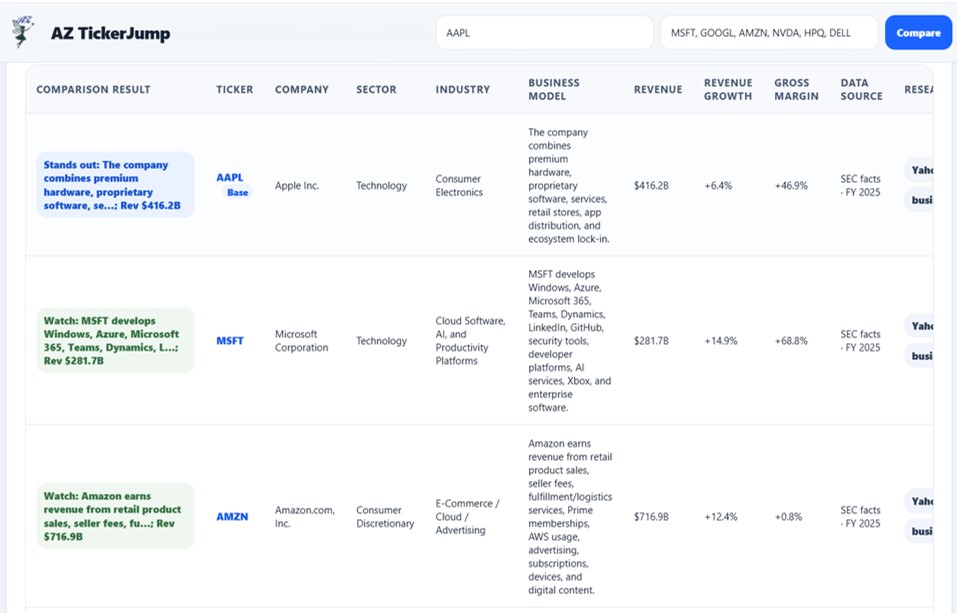
AZ TickerJump grew out of active financial research. Studying a company often means repeatedly moving among profiles, peer companies, charts, filings, news, notes, and watchlists, so TickerJump organizes those paths around the ticker symbol to make the research process faster and more structured.

Built to reduce repetitive research steps

Instead of repeatedly searching for the same ticker across different resources, AZ TickerJump keeps commonly used research paths organized around the selected symbol.

✓ Jump quickly between ticker symbols

✓ Reduce repetitive webpage searching

✓ Improve workflow on financial websites

✓ Simple browser-based productivity tool

Core Features

Built for faster ticker research workflows.

Ticker-first navigation

Start with a ticker symbol and move quickly into a structured research workflow without repeatedly searching for the same company or asset across multiple sites.

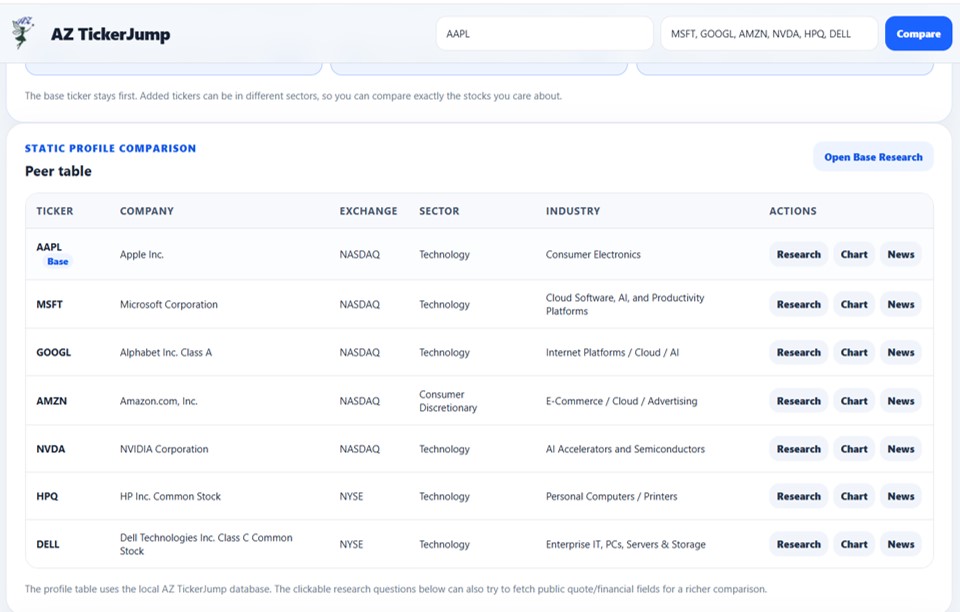
Profiles & peer comparisons

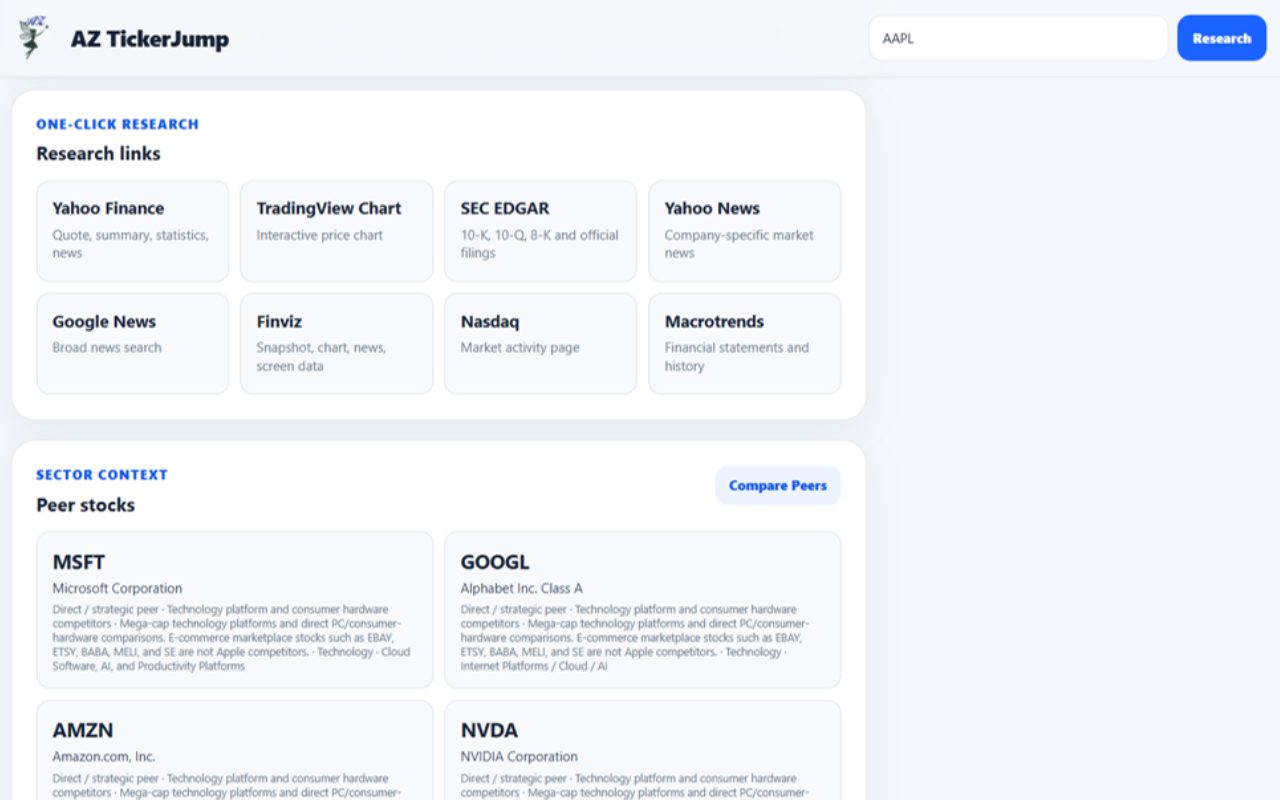
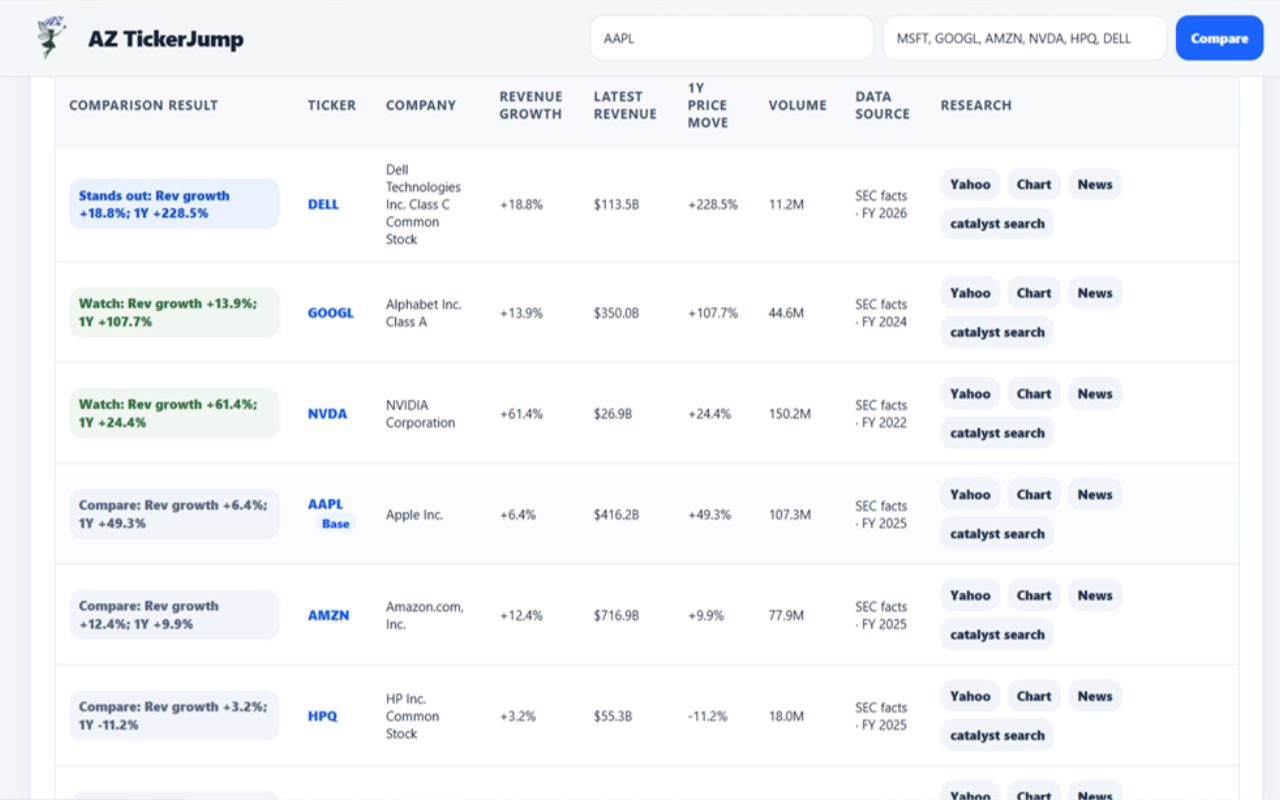
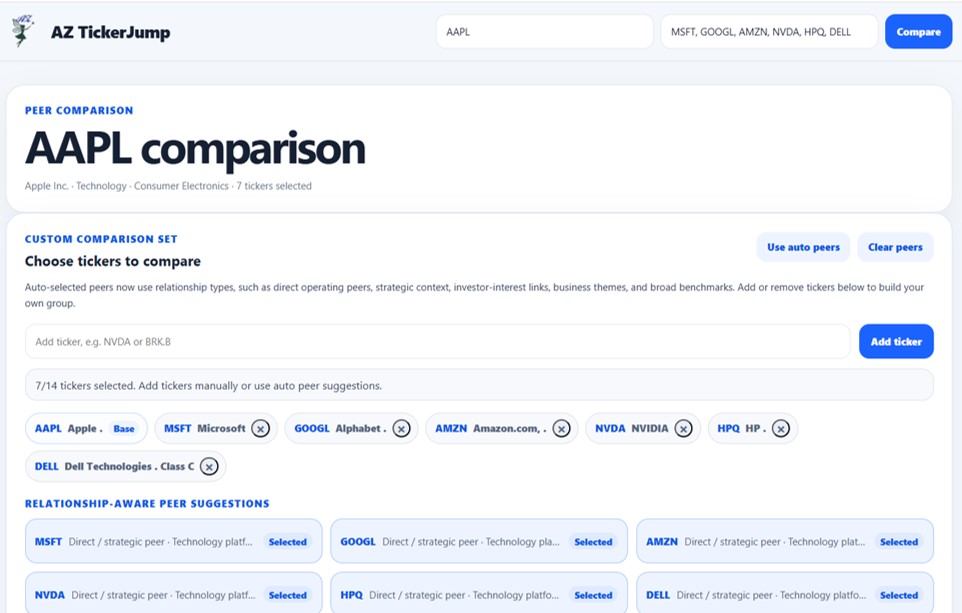
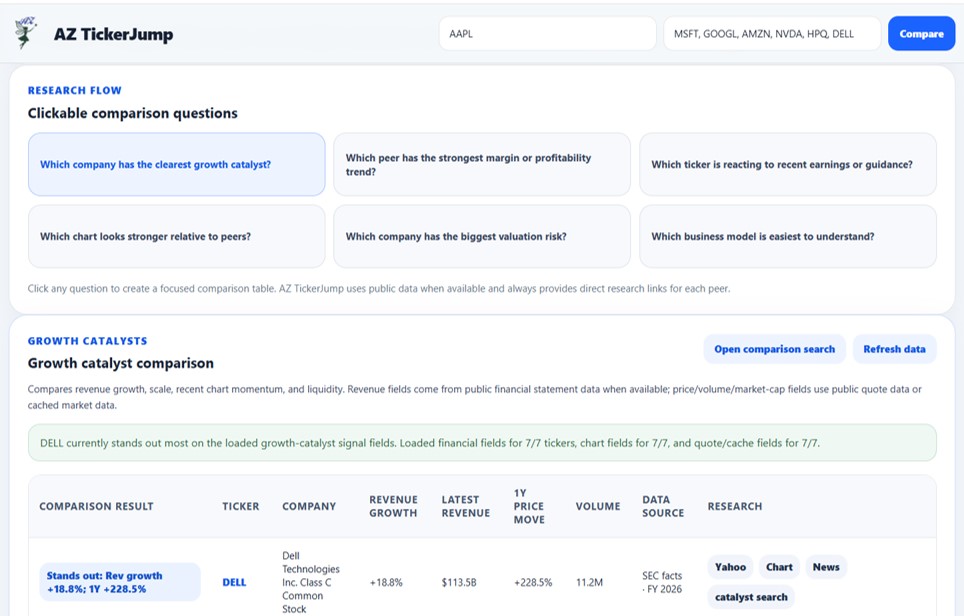
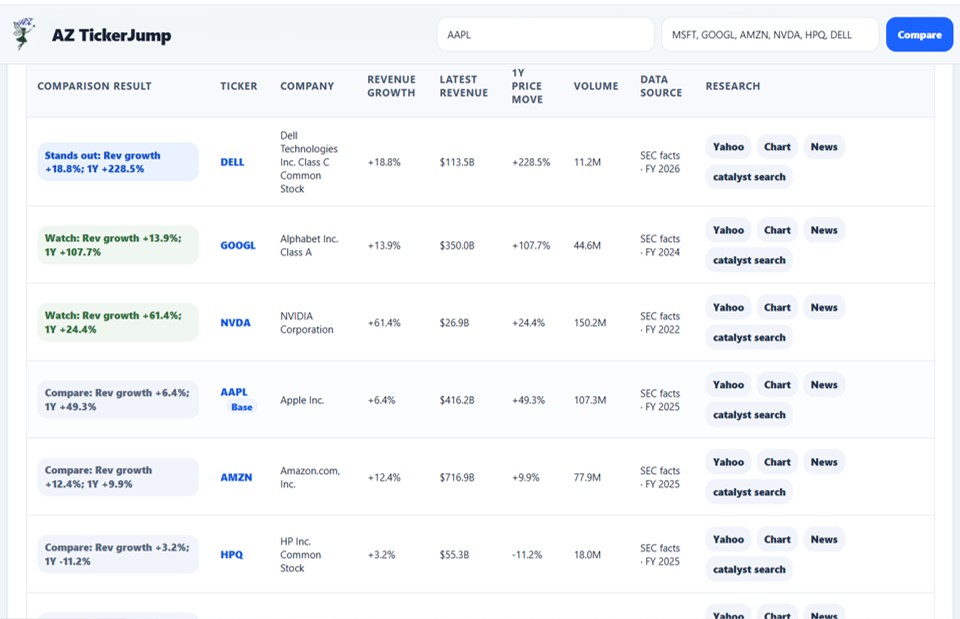
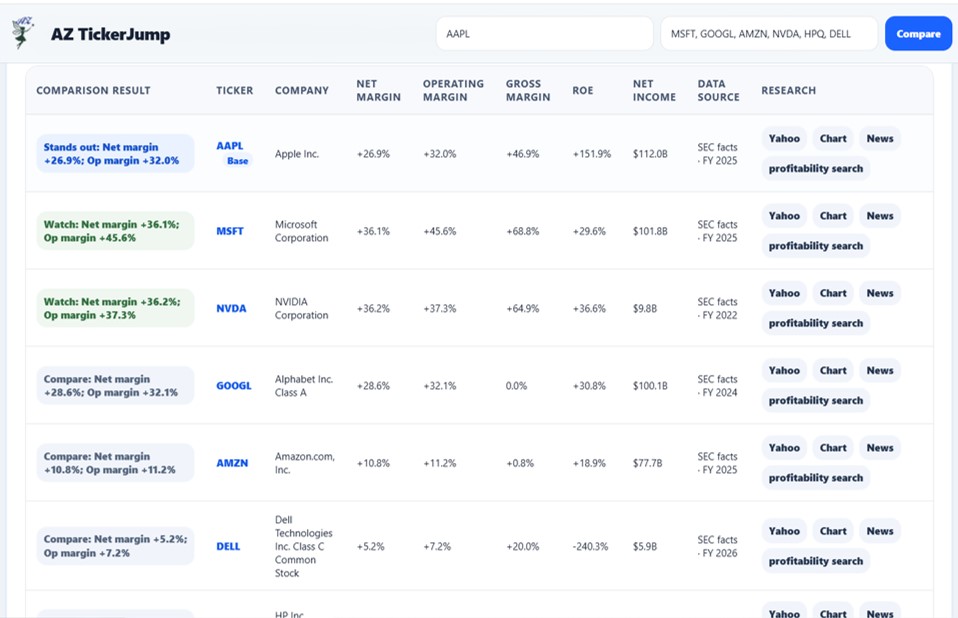
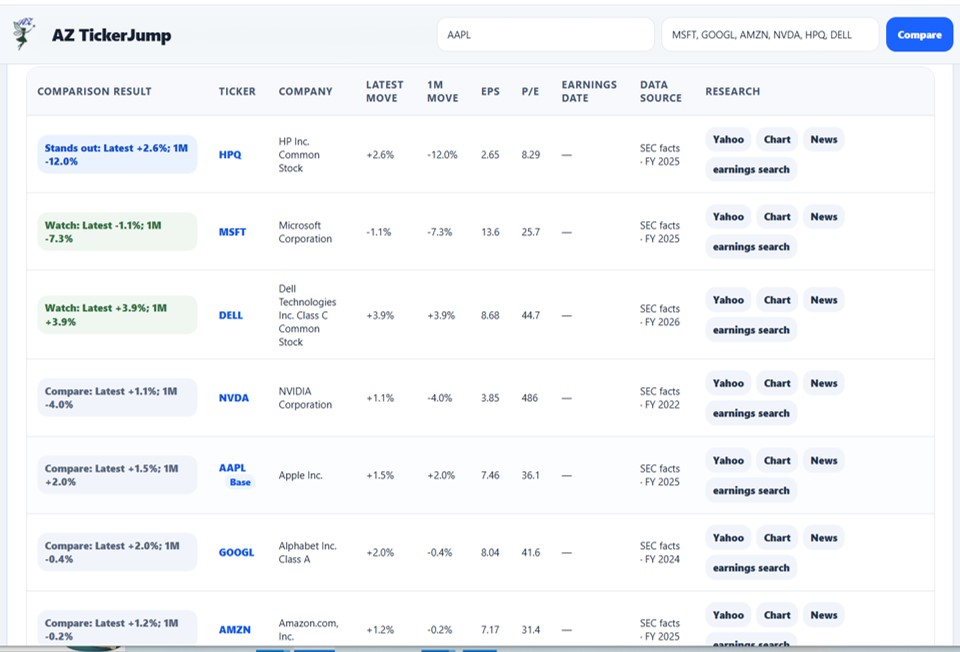
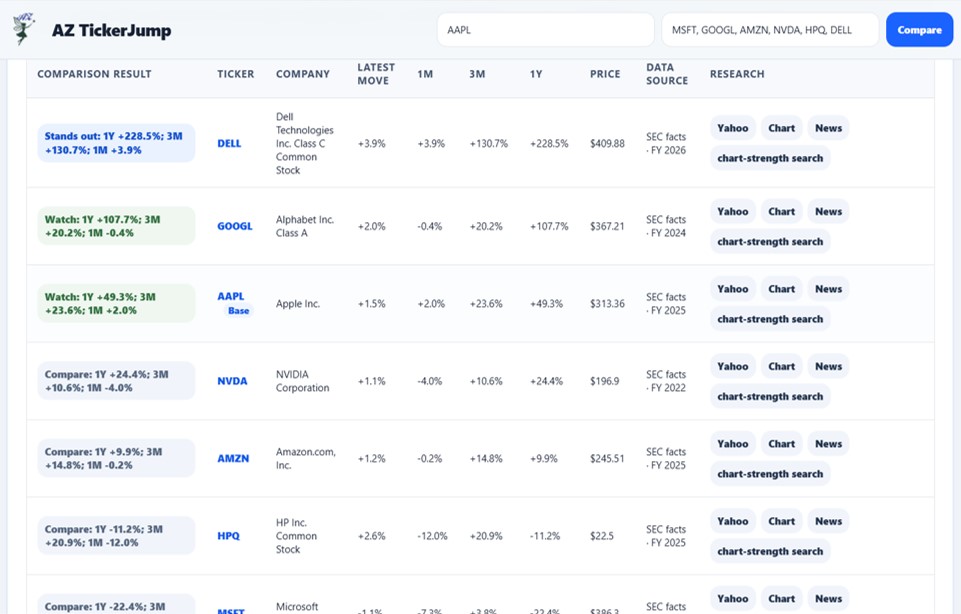
Open company or asset profiles and move between related peers to make comparison-based research faster and easier.

Charts & market research

Jump directly to charting and other market-research resources associated with the selected ticker.

Filings, news & research links

Access filings, news, and useful research destinations from a centralized ticker-based workflow.

Notes & watchlists

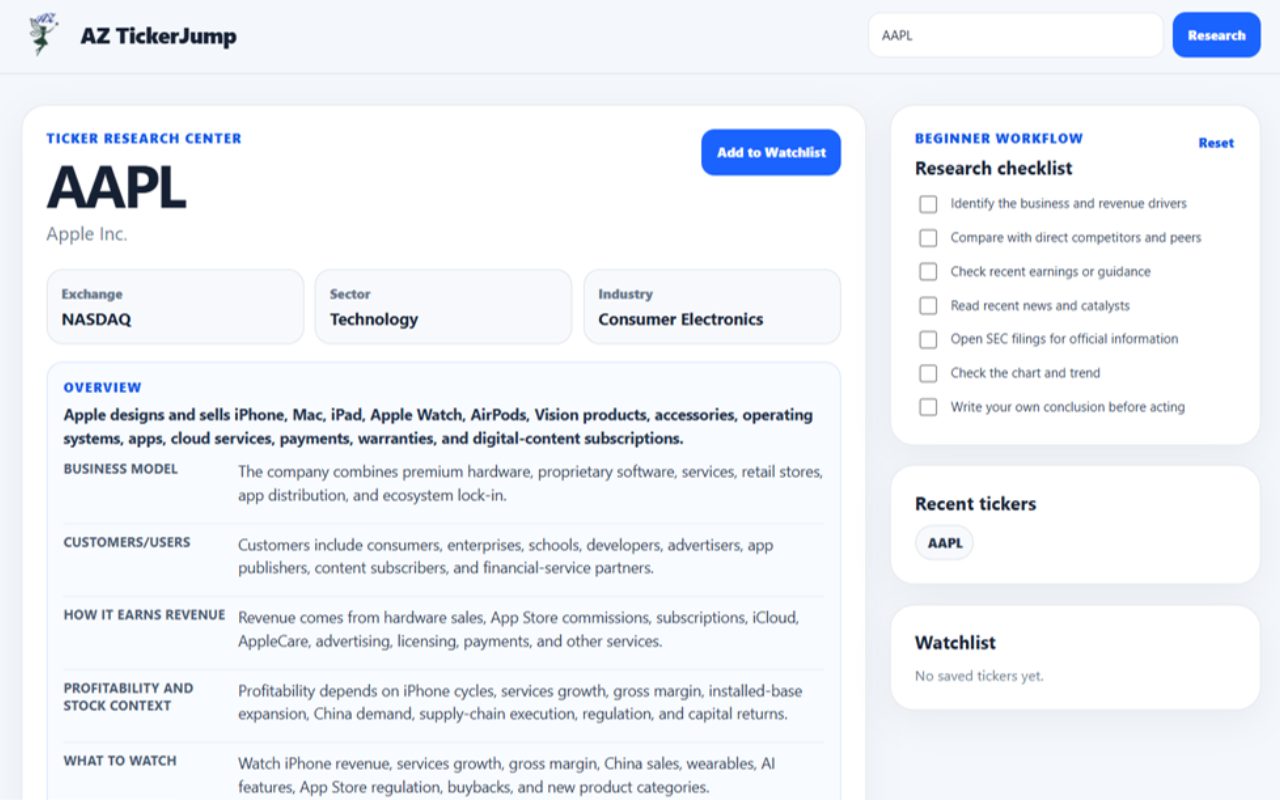
Keep research notes and watchlists available as part of the same workflow so frequently followed symbols are easier to revisit.

Broad ticker coverage

Supports research workflows for stocks, ETFs, funds, OTC symbols, and major cryptocurrencies, with local ticker data and peer suggestions where available.

RESEARCH WORKFLOW

Move from a ticker to useful research in fewer steps.

AZ TickerJump is designed around a ticker-first workflow. Start with a symbol, then move quickly to profiles, peer comparisons, charts, filings, news, notes, watchlists, and other research destinations without repeatedly searching for the same ticker.

✓ Ticker-based profiles and research links

✓ Peer-company and related-symbol suggestions

✓ Direct access to charts, filings, and news

✓ Notes and watchlists for frequently researched symbols

✓ Support for stocks, ETFs, funds, OTC symbols, and major cryptocurrencies

✓ Local ticker data for faster lookup and navigation

One ticker, multiple research paths

Instead of opening a search engine and repeatedly entering the same ticker on different financial websites, AZ TickerJump keeps commonly used research destinations organized around the selected symbol.

The extension is intended to streamline navigation and information gathering. It does not provide investment recommendations or make investment decisions for the user.

AZ TickerJump is a research workflow tool, not investment advice. Users remain responsible for evaluating information from the websites and data sources they choose to access.

QUICK START

Start researching in a few steps

AZ TickerJump is designed to make ticker-based research faster. Start with a symbol, then move directly to the profiles, comparisons, charts, filings, news, notes, watchlists, and other research resources you need.

1

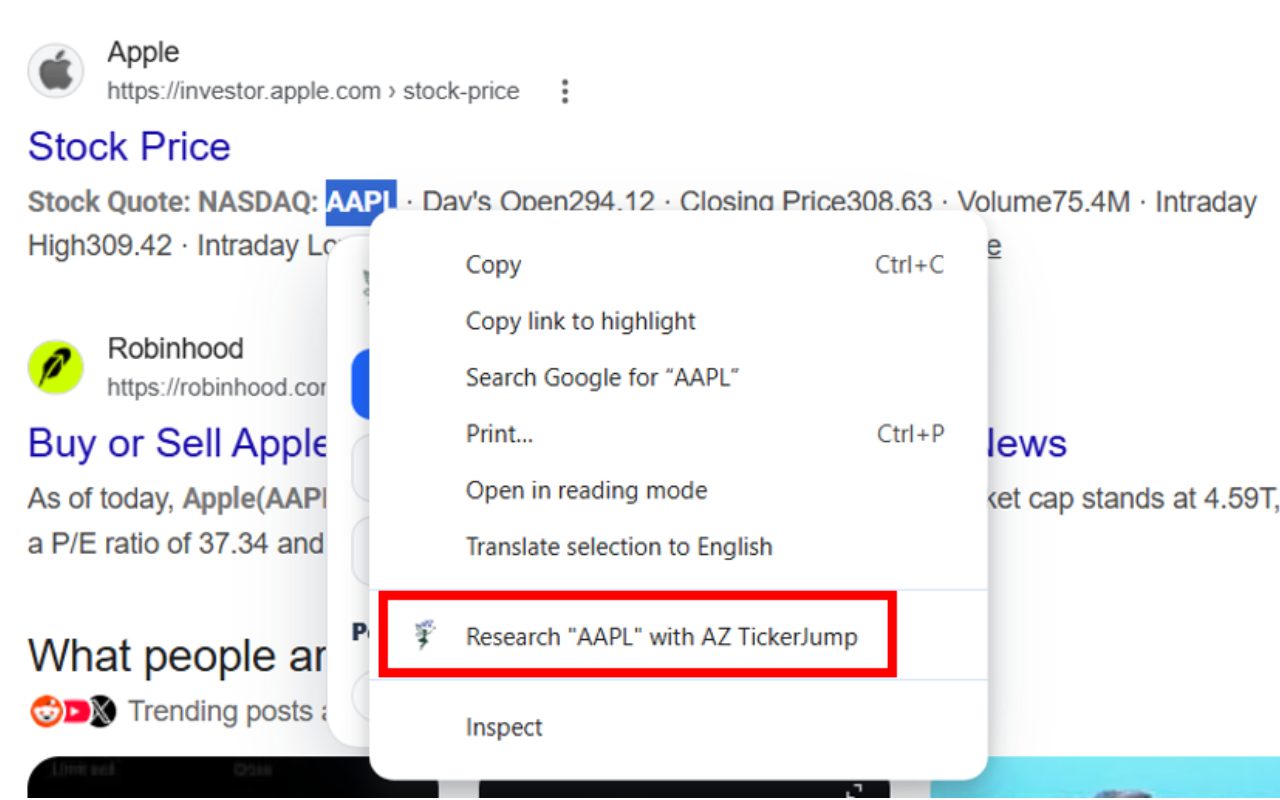
Enter or select a ticker symbol. Start with the stock, ETF, fund, OTC symbol, or supported cryptocurrency you want to research.

2

Open the ticker research view. AZ TickerJump organizes available research options around the selected ticker so you can move between useful destinations without repeatedly searching for the same symbol.

3

Review profiles and peers. Open profile information and use available peer or related-symbol suggestions to compare the selected ticker with other relevant companies or assets.

4

Jump to charts, filings, news, and research links. Move directly to the research resources you need while keeping the selected ticker at the center of the workflow.

5

Save notes or revisit watchlist symbols. Use notes and watchlists to keep frequently researched tickers and useful information easier to return to later.

LOCAL PROCESSING & PRIVACY

Research data is stored locally.

Local research data

AZ TickerJump uses local ticker data for supported research workflows and can store settings, notes, watchlists, and other extension data locally in the browser.

No AZinvent account required

AZ TickerJump is designed to work without requiring users to create an AZinvent account or provide personal information to AZinvent.

No user-data collection

AZ TickerJump does not collect or use user data through the extension. Locally stored information is not received by AZinvent unless specifically disclosed otherwise.

Third-party research links

AZ TickerJump can open external research websites and services selected by the user. Those third parties operate independently and may have their own privacy policies and data practices.

RESEARCH & EXTERNAL SOURCES

TickerJump helps you navigate research — not make investment decisions.

AZ TickerJump is designed to streamline ticker-based research by organizing useful destinations and helping users move between profiles, peers, charts, filings, news, and other research resources.

Information shown or opened through TickerJump may come from third-party websites and services. Users should evaluate those sources independently and make their own financial decisions.

Designed for research workflow

✓ Ticker-based navigation

✓ Profiles and peer comparisons

✓ Charts, filings, and news links

✓ Notes and watchlists

✓ User-selected external research sources

✓ Research support — not investment advice

ABOUT AZINVENT

Technology built around practical problems

AZinvent develops software across assistive communication, financial research, and tools for presenting and navigating information online. Each project starts with a specific need and turns it into a focused technological solution.

The products are different, but the underlying idea is the same: technology is most meaningful when it helps solve a real problem for the people using it.

Different problems, one approach

Accessibility — tools that can make communication easier and more user-controlled

Financial research — tools that make information gathering and analysis workflows more efficient

Information & learning — tools that make information easier to present, organize, explore, and navigate

Scroll to Top